


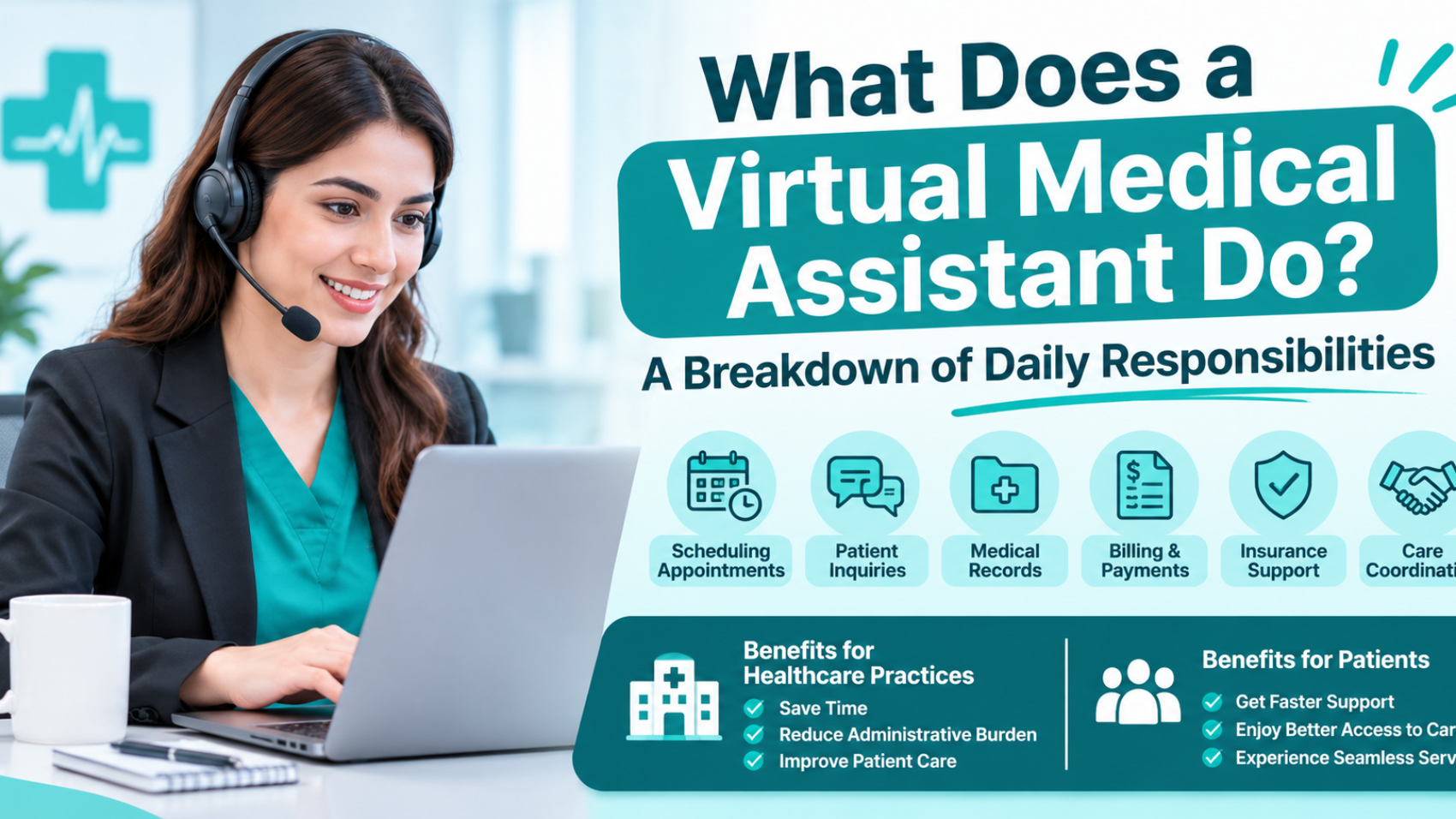
A virtual medical assistant (VMA) is a trained remote team member who handles the administrative work that keeps a medical practice running. On a normal day, that means booking and confirming appointments, checking insurance, preparing charts, answering patient calls and messages, working on prior authorizations and referrals, filing documents, and following up on claims.
A VMA works inside your systems under a signed business associate agreement. Virtual assistant services for medical practices do not diagnose, prescribe, or give medical advice. Those decisions stay with your licensed clinical team.
A Typical Day for a Virtual Medical Assistant
Every practice is a little different, but most VMAs follow a daily rhythm that looks like this.
| Time of day | What the VMA usually does |
| Before the office opens | Reviews the day’s schedule, runs insurance checks for today’s and tomorrow’s patients, flags missing information, and goes through overnight voicemails and portal messages. |
| Morning | Answers calls, books and moves appointments, fills cancelled slots from the waitlist, completes registration with new patients, and sends reminders. |
| Midday | Works on prior authorizations and referrals, follows up with outside labs and imaging centers for missing reports, and indexes faxes and outside records. |
| Afternoon | Checks claim status, follows up on denials with the billing team, answers patient billing questions, and prepares charts for the next two days. |
| End of day | Updates the task list, notes anything unfinished, sends a short summary to the office manager, and passes issues to the right person. |
| Note: The exact list depends on your specialty, software and how many staff you have. A pediatric clinic, a cardiology group and a behavioral health practice will each hand over a different set of tasks. |
Daily Responsibilities of a Virtual Medical Assistant, Explained
1. Appointment Scheduling, Reminders and Calendar Management
Scheduling is usually the first job a practice hands over. A VMA books new and returning patients, reschedules visits, handles cancellations, and moves patients from the waitlist into open slots. They follow your rules for visit length, provider preferences and urgent slots, so a 40-minute new patient visit does not land in a 15-minute gap.
Reminders belong to the same job. The VMA calls or messages patients to confirm visits, and reaches out to people who missed an appointment so they can rebook. An operations leader writing in Medical Economics reports that proactive scheduling and confirmation outreach is associated with 10% to 20% fewer no-shows. Results differ from practice to practice, but the logic is easy to see: patients who get a reminder show up more often, and a full schedule protects both access to care and revenue.
2. Insurance Eligibility and Benefits Verification
Before a patient is seen, someone has to confirm that the insurance is active, which plan it is and what it covers for the planned service. A VMA does this through payer portals or your clearinghouse, usually a day or two before the visit, and records the result in the patient’s account. They look at copay, deductible, coinsurance, referral or authorization rules, and whether the patient has a second plan.
This task matters more than it looks. In a national survey of revenue cycle leaders reported by TechTarget, eligibility and benefits verification, authorization, and patient registration were named as the top three causes of denied claims, and about four in five respondents said at least one front-end step was behind their denials. Catching a coverage problem before the visit takes one phone call. Catching it after a denial takes rework, time, and sometimes the payment itself.
3. Patient Registration and Intake
A VMA sends intake forms before the visit, helps patients finish them by phone or portal, checks demographics, collects insurance card copies, and makes sure consent and privacy forms are signed. Correct names, birth dates and policy numbers prevent many claim rejections. In the same survey, validating patient demographic information was the most selected denial prevention strategy, chosen by 61% of respondents.
4. Chart Preparation Before Visits
Chart preparation means reviewing the next day’s schedule in the EHR, reading the reason for each visit, checking for missing records, and flagging overdue labs, imaging or referrals so the provider is not surprised in the exam room. The VMA may call the patient about pending tests and contact outside facilities for reports that have not arrived. One industry author links this kind of previsit preparation to provider efficiency gains of up to 20%. Treat that as an estimate and measure your own results.
| Important: A VMA prepares the chart. The provider reviews it and makes every clinical decision. |
5. Patient Calls, Portal Messages and Non-Clinical Follow-Up
A VMA answers the main phone line, returns voicemails, and replies to portal messages about appointments, forms, office hours, directions, billing and records requests. Anything that sounds clinical goes to the right person. A patient who reports chest pain, or who asks whether to change a medication dose, is sent straight to a nurse or provider and not into a general message queue.
Many practices also ask the VMA to log refill requests. The VMA enters the request and the clinical team decides what happens next. Some practices use VMAs to extend phone coverage into the evening. Clinical triage after hours still requires licensed staff and written protocols.
6. Prior Authorizations and Referral Coordination
Prior authorization is where many practices feel the strain. The AMA’s 2025 Prior Authorization Physician Survey, which polled 1,000 physicians in December 2025, found that practices complete an average of about 40 prior authorizations per physician each week. Physicians and their staff spend about 13 hours a week on them, and 40% of physicians say they have staff who work only on prior authorization.
A VMA takes over the administrative steps. They check whether a service needs authorization under the patient’s plan, gather the documents the provider has already written, submit the request through the payer portal or by fax, track the status, call the payer when the answer is slow, and record the authorization number in the chart. If the payer denies the request, the VMA alerts the provider and helps collect what is needed for an appeal. The medical argument itself comes from the provider.
Referrals follow a similar path. The VMA sends the referral, confirms the receiving office got it, checks that the patient has booked, and asks for the consult note to come back so the loop is closed.
7. Medical Records, Faxes and Document Management
Faxes and scanned papers still arrive every day. A VMA sorts inbound faxes, indexes lab reports, hospital discharge papers and outside records into the correct patient chart, and routes anything that needs a provider’s review. They also process records requests from patients and other providers, following your release procedures and confirming who is asking before anything is sent.
| Important: Records leave the practice only when your policy and HIPAA allow it. A good VMA checks authorization first and asks your privacy officer when a request looks unusual. |
8. Billing Support and Claim Follow-Up
Many VMAs support the revenue cycle management without replacing a certified coder or billing team. Common tasks include checking charges against the visit before they go out, updating insurance and demographic changes, checking claim status with payers, following up on unpaid claims, working denial lists, and answering patient billing questions. They also call insurance companies about claims stuck in review.
Coding and documentation decisions stay with credentialed coders and providers. If you already use a billing company, the VMA works alongside that team and passes along the corrections found at the front end so claims leave the office clean.
| Why this matters: Billing problems usually start at the front desk. When eligibility, registration and authorization are handled well, the billing team spends less time reworking claims and more time collecting. |
9. Telehealth Support
For virtual visits, a VMA sets up visit links, makes sure patients know how to join, answers technical questions before the appointment, checks patients in, confirms identity, and keeps the virtual schedule on time. They also update demographic and pharmacy details for the provider to review.
10. Other Support Tasks
Depending on the practice, a VMA may also help with provider credentialing paperwork and payer enrollment follow-up, patient satisfaction surveys, supply and vendor orders, report preparation, and quality program tracking, such as listing which patients are due for screenings.
Some VMAs also work as medical scribes, writing visit notes while listening to the encounter. This is a separate skill. It needs extra training, and the provider must review and sign every note. Ask for these tasks in your scope document instead of assuming they are included.
What a Virtual Medical Assistant Cannot Do
Knowing the limits protects your patients and your practice. A VMA should never do any of the following.
• Diagnose a condition or interpret symptoms
• Prescribe, refill or change a medication on their own
• Give medical advice or perform clinical triage
• Explain test results to patients
• Perform hands-on tasks such as taking vitals, giving injections or drawing blood
• Sign orders, notes or forms that need a licensed provider’s signature
| Note: Rules for clinical support staff differ by state. Confirm the limits for your state with your medical board or a healthcare attorney before you write the VMA’s scope of work. |
How a Virtual Medical Assistant Protects Patient Information
A VMA sees PHI every day, so HIPAA applies from the first login. Four pieces matter most.
A Signed Business Associate Agreement
If you hire the person directly and supervise their work as part of your team, they may fall under your workforce. If you work through a company, that company is a business associate. HHS states that a covered entity must have a written business associate contract or other arrangement that sets out how the associate will safeguard PHI, and HHS publishes sample contract provisions. A member of your workforce is not a business associate, but when you are unsure which category applies, sign the agreement.
Access Based on the Job
HHS explains that covered entities must make reasonable efforts to limit access to PHI to the workforce members who need it based on their roles. A VMA who handles scheduling and insurance needs those screens. They may not need full clinical notes, so their access should be set to match the work.
Individual Logins and Basic Security
Every person who opens an EHR should have their own login. The HIPAA Security Rule requires unique user identification for anyone who accesses electronic PHI, so shared logins are a risk for VMAs and onsite staff alike. Ask for multi-factor sign-in, encrypted connections, company-managed devices and activity logs that show who opened which chart.
Training and an Incident Process
The VMA should complete HIPAA training before they start and again each year, and should know how to report a mistake or a suspected breach right away. A written process helps your team respond quickly.
| Note: Ask where your VMA works from. Some payer contracts and state programs limit access to patient data from outside the United States, so check your agreements before you decide. |
Which Tasks Should You Hand Over First?
Start with work that happens often, follows the same steps each time, and does not need clinical judgment. For most practices that means eligibility checks, appointment reminders, prior authorization status calls, fax indexing and claim follow-up.
Before you begin, ask your staff to track how many hours they spend on prior authorizations for two weeks, then compare the number with the AMA’s average of 13 hours a week. After 60 to 90 days with a VMA, review a few simple measures: no-show rate, days to the next available new patient visit, authorization turnaround time, front-end denial rate and the share of calls answered. Those numbers show whether the work is paying off.
Signs Your Practice May Need Virtual Support
Calls are reaching voicemail during busy hours. Cancelled slots stay empty. Denials keep tracing back to eligibility or missing authorizations. Providers are finishing charts at night. One front desk employee is covering check-in, phones, referrals and insurance at the same time. If two or three of these sound familiar, a VMA is worth a serious look.
How to Set Up a Virtual Medical Assistant So the Work Runs Smoothly
Write the scope first. List what the VMA will do, what they will not do, and who they report to. Clear duties prevent confusion and support appropriate system access.
Document each workflow. Write down how you want eligibility checks, reminders, authorizations and referrals handled, including payer-specific habits your team has learned over the years.
Set access by role. Give the VMA the screens they need and nothing more, with their own login.
Agree on who gets what. Decide in advance which issues go to the office manager, which go to a nurse, and which go to the provider.
Check in daily at first. A short daily check-in during the first month catches small problems early. Move to a weekly review once the work is steady.
Frequently Asked Questions
What does a virtual medical assistant do all day?
A VMA schedules and confirms appointments, verifies insurance, prepares charts, answers patient calls and messages, works on prior authorizations and referrals, files documents, and follows up on claims. The mix depends on the practice.
Is a virtual medical assistant the same as a medical assistant?
No. A medical assistant works in the office and may do clinical tasks such as taking vitals, as allowed by state law. A VMA works remotely and handles administrative work. A VMA does not perform hands-on patient care.
Can a virtual medical assistant access my EHR?
Yes, when the right agreements and controls are in place. That means a signed business associate agreement, role-based access, an individual login for the VMA, and activity logs.
Can a virtual medical assistant talk to patients about their symptoms?
No. A VMA can take a message and route it to a nurse or provider, but they cannot assess symptoms, give advice or decide how urgent a medical problem is.
Can a virtual medical assistant help with billing and denials?
Yes. A VMA can check eligibility, confirm authorizations, review charges, follow up on unpaid claims and work denial lists. Coding decisions remain with credentialed coders and providers.
Is a virtual medical assistant the same as a medical scribe?
Not by default. A scribe writes visit notes for the provider to review and sign. Some VMAs have scribe training, but it should be listed in the scope of work.
How PHCS Can Help
Proactive Healthcare Services (PHCS) provides virtual assistant services for medical practices across the United States, with a billing-led approach and HIPAA-compliant workflows. If you are not sure which tasks to hand over first, PHCS can look at your current workflow with you and help you build a clear scope. Contact PHCS to talk through your practice’s needs.